
Accessing Patient Responses to Subjective Questionnaires
To view the responses to subjective questionnaires sent via "Deploy Subjective Assessment," follow these steps:
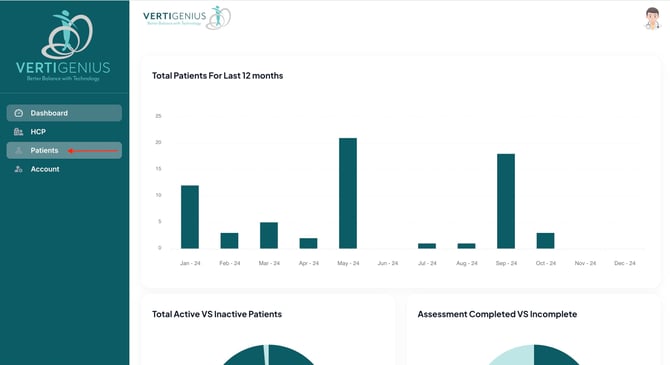
- Navigate to the Patients tab in the Vertigenius interface.
- Use the search function to locate the specific patient whose subjective assessments you wish to review.
- Select the patient from the search results.
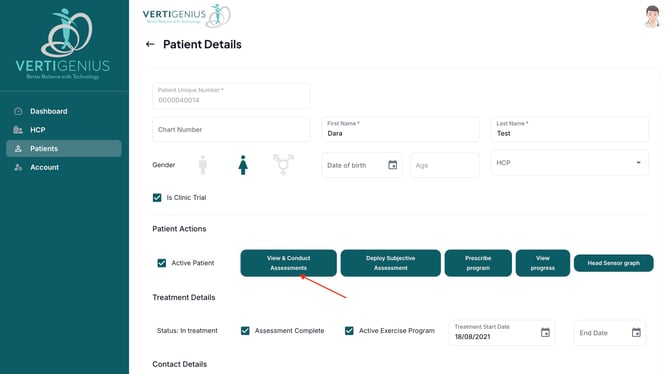
- Click on the "View & Conduct Assessments" button associated with the patient's profile.
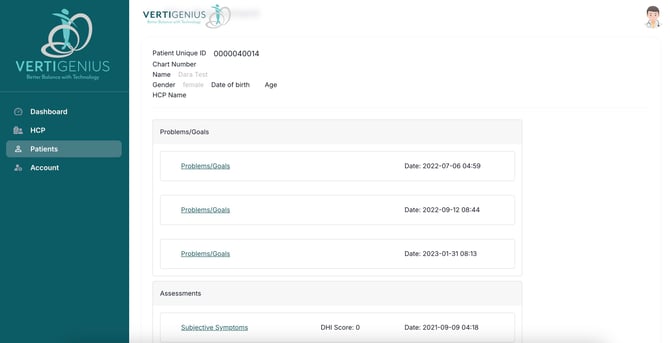
In the resulting screen, you will find all completed assessments organized into three main categories:
Problems/Goals
- This section contains patient-reported issues and objectives.
- Here you will find the results of standardized questionnaires, such as the Dizziness Handicap Inventory (DHI).
-
- This area displays the outcomes of Physical Assessment tests conducted during patient visits.
By following this process, you can efficiently access and review all subjective questionnaire responses for your patients, allowing for a comprehensive evaluation of their reported symptoms and progress.