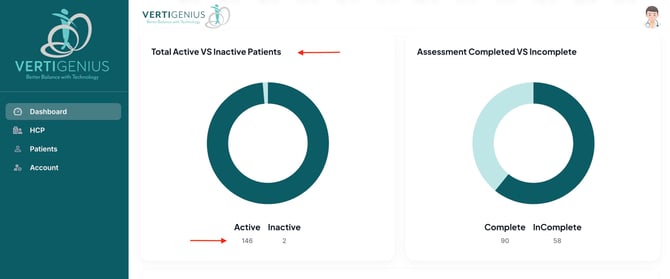
Once you are logged into the Vertigenius Clinician Portal, follow these steps to view the number of active patients:
- Navigate to the Dashboard: Click on the "Dashboard" tab located in the main navigation menu.
- Locate the Graph: On the Dashboard, you will find a graph titled "Total Active vs Inactive Patients."
- Interpret the Data: This graph provides a clear visual representation of your active patient count, allowing you to easily assess how many patients are currently engaged with Vertigenius.
This streamlined process ensures that you can quickly access important patient data and manage your caseload effectively.