
Using the Physical Assessment Function in Vertigenius
The Physical Assessment function in Vertigenius allows clinicians to conduct comprehensive evaluations of patients with vestibular disorders. Here's how to use this feature effectively:Accessing the Physical Assessment
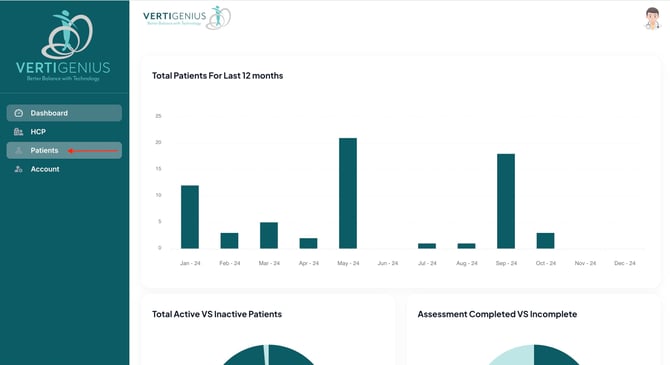
- Navigate to the "Patients" tab in the left-hand menu.
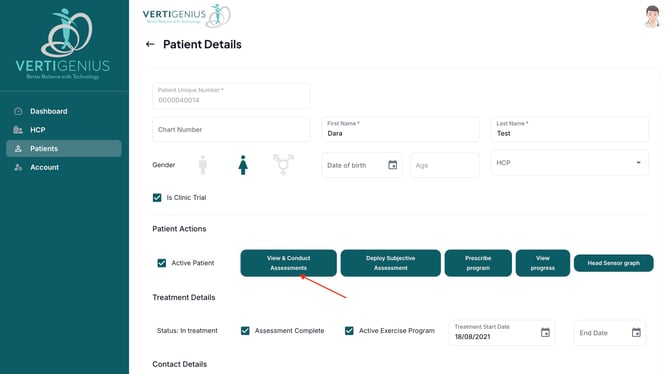
- Search for and select the desired patient.
- Click on the "View & Conduct Assessments" button.
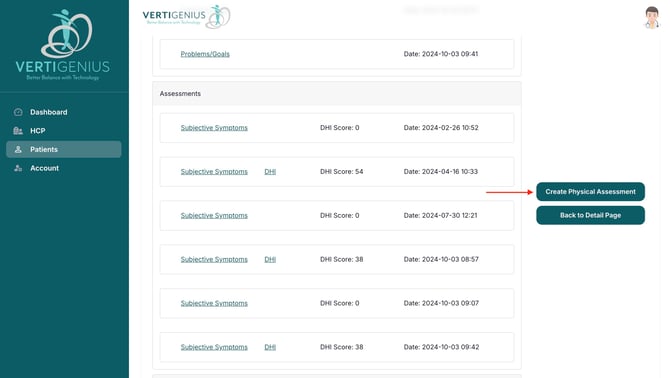
- Scroll down and select "Create Physical Assessment".
Available Objective Physical Assessments
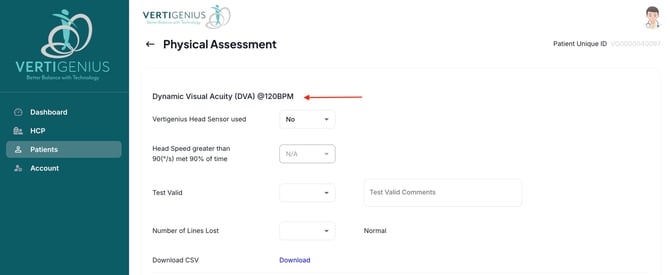
Vertigenius offers three key vestibular outcome measures:- Dynamic Visual Acuity (DVA)
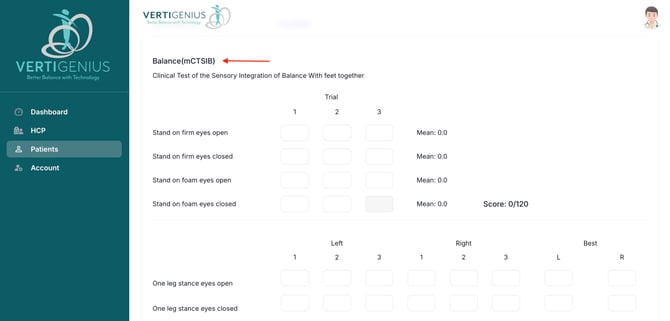
- Balance Assessment (mCTSIB)
- Gait Assessment

Conducting the Assessments
For each assessment:- Follow the on-screen instructions to perform the test.
- Input the required data as prompted.
- Add any relevant notes or observations.
Automated Scoring and Documentation
Vertigenius automatically calculates and scores the assessments based on your inputs. This feature streamlines the evaluation process and ensures consistent, objective results.Saving and Reviewing Results
After completing the assessments:- Review the automatically generated scores and documentation.
- Add any additional notes or interpretations.
- Click "Save" to store the assessment results in the patient's record.
Remote Monitoring Capabilities
Vertigenius allows for remote monitoring of patients' progress, enabling healthcare practitioners to track improvements over time and adjust treatment plans as neededEnhancing Patient Care
By utilizing Vertigenius's Physical Assessment function, clinicians can:- Conduct standardized, evidence-based evaluations
- Track patient progress objectively
- Tailor vestibular rehabilitation programs based on assessment results
- Provide patients with clear, data-driven feedback on their improvement